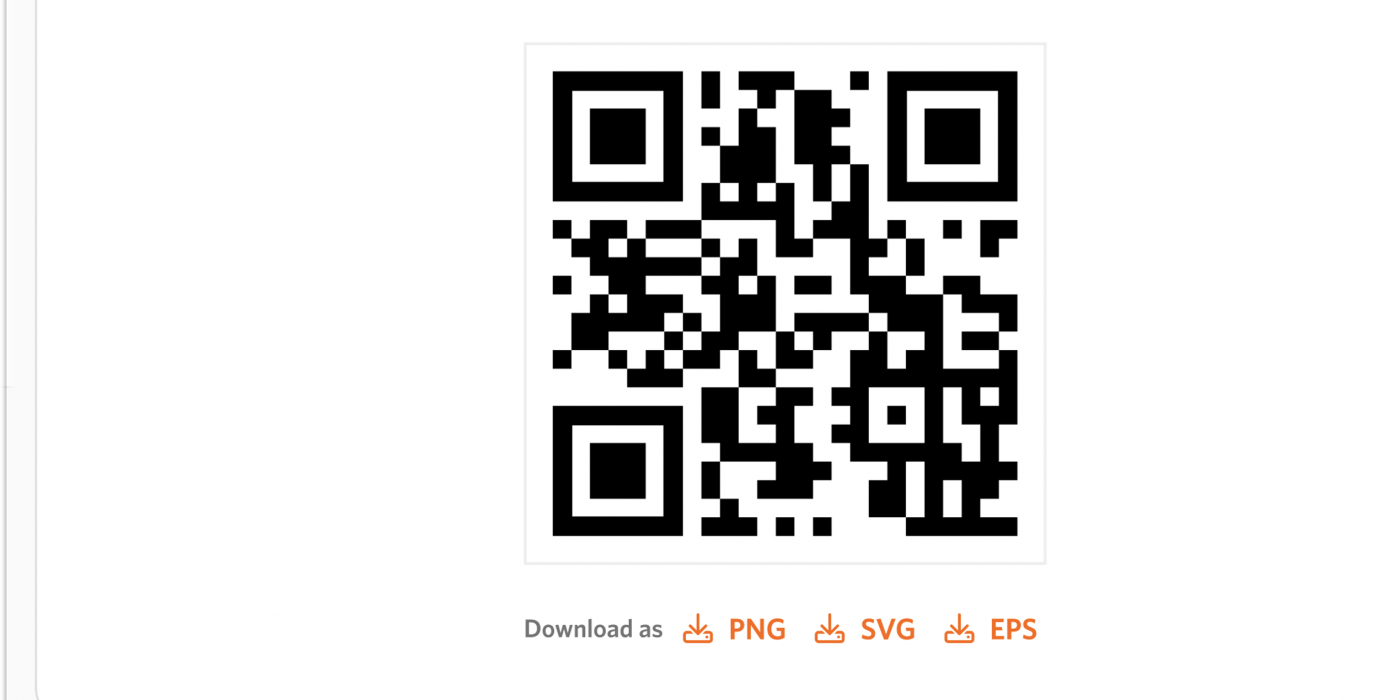
We developed a QR code solution that allows customers to share affiliate links easily on social media and offline advertisements.
- Scope: Concept Design & Visual Identity
- Role: Concept Design
- Tools: Figma & HTML
- Collaborators: Development Team & Product Owner
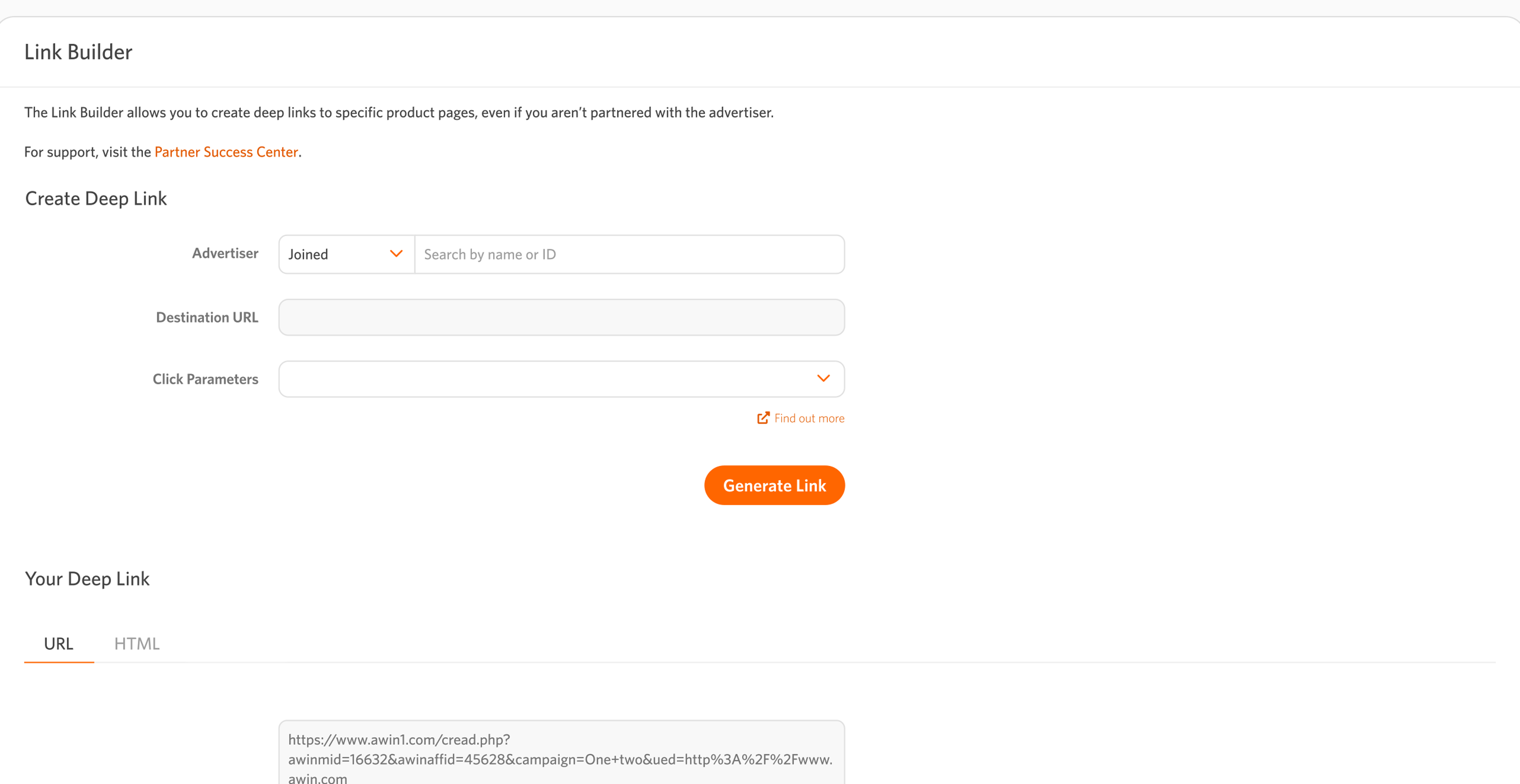
Example of the current shareable link page
Existing Product & Problem
Our publishers can share links online to earn commissions, but complex URLs make offline sharing difficult. To simplify this, we wanted to find a way to utilise QR code technology, to make it easier for them to share links offline.
Process
Research & Discovery
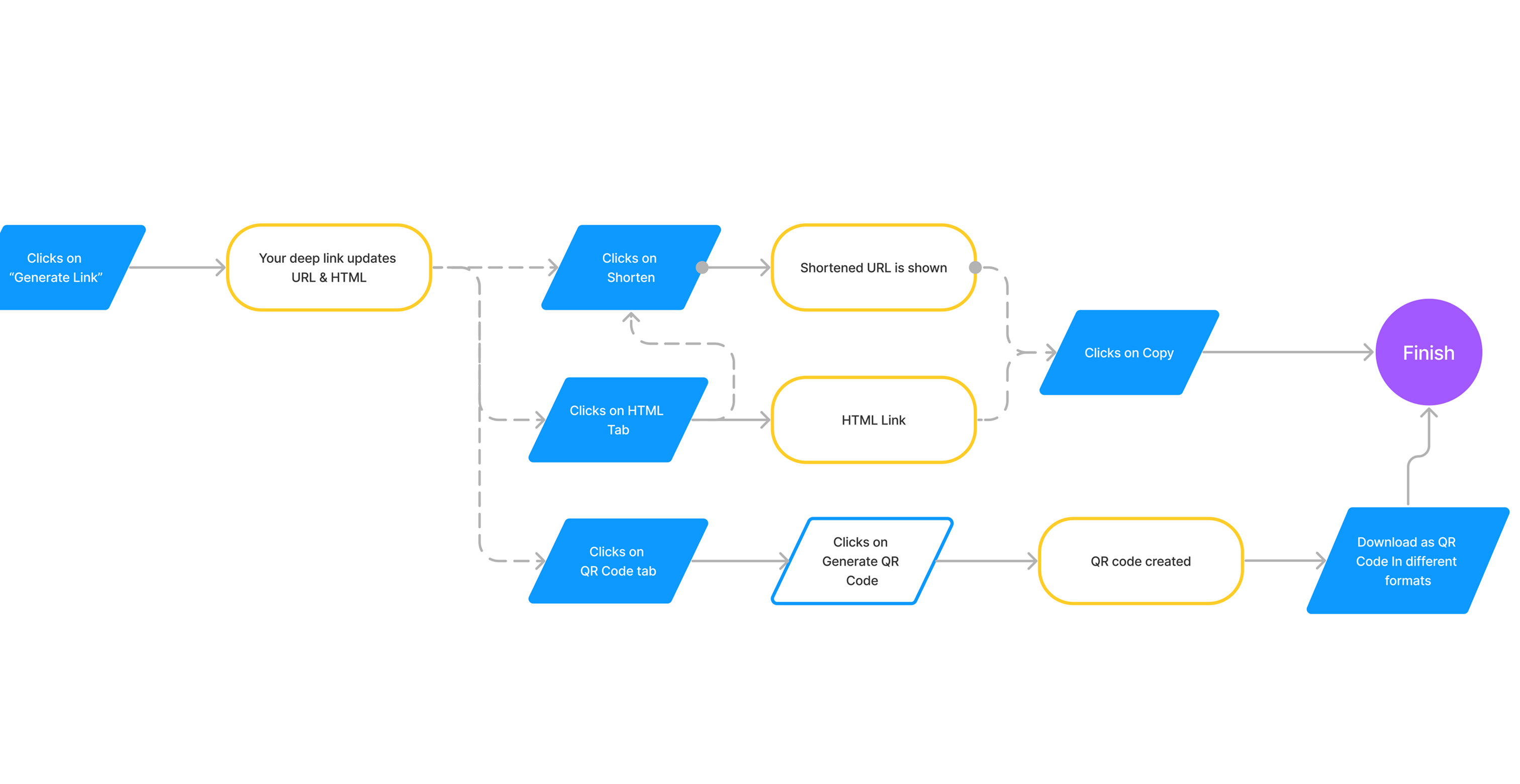
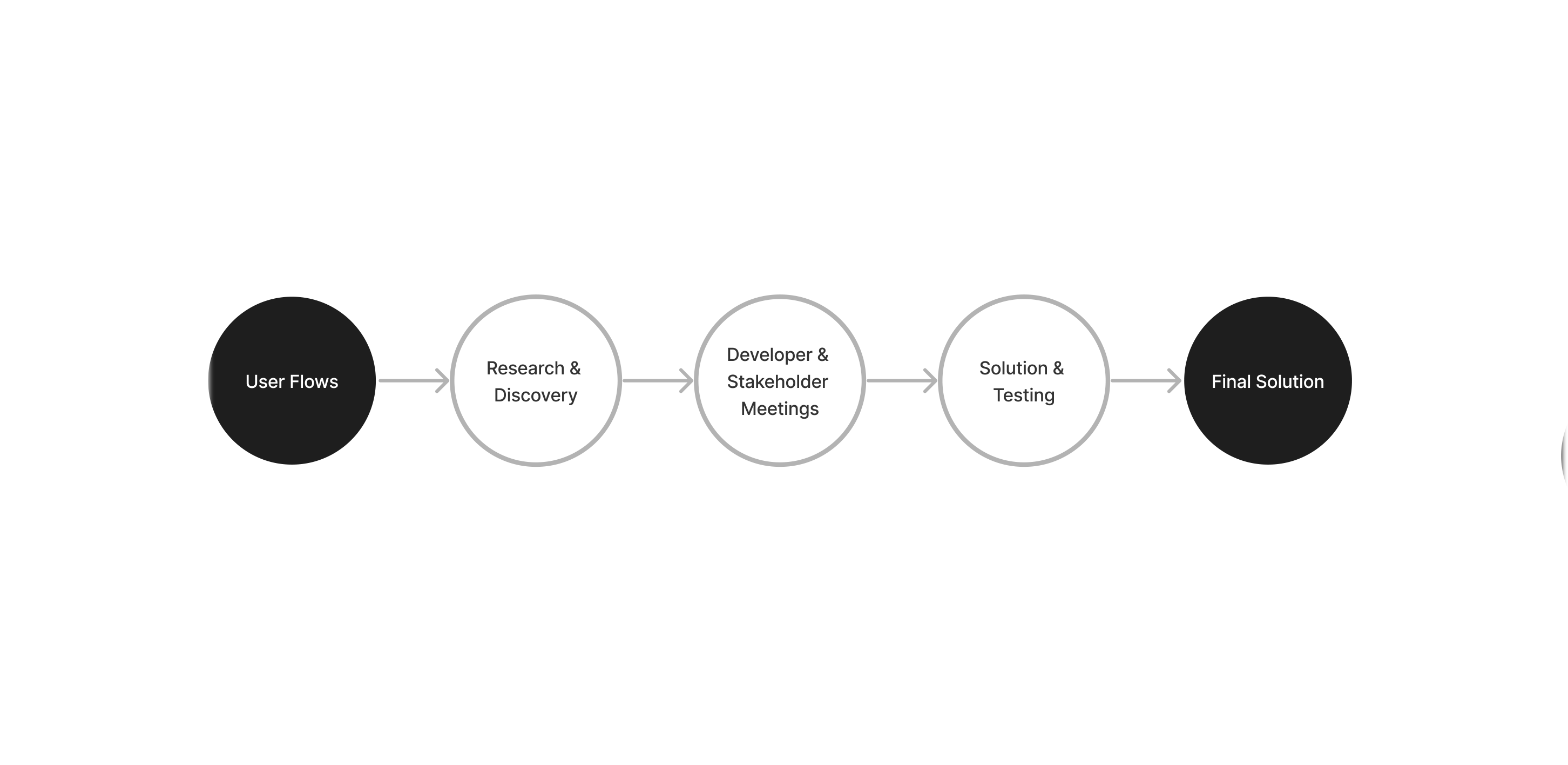
I wanted to understand a future customer’s journey in creating a QR code. While I was familiar with creating and shortening links for easier sharing which we currently offer, I created flow diagrams to map out user touch points. This helped me identify the screens and concepts necessary for the process.
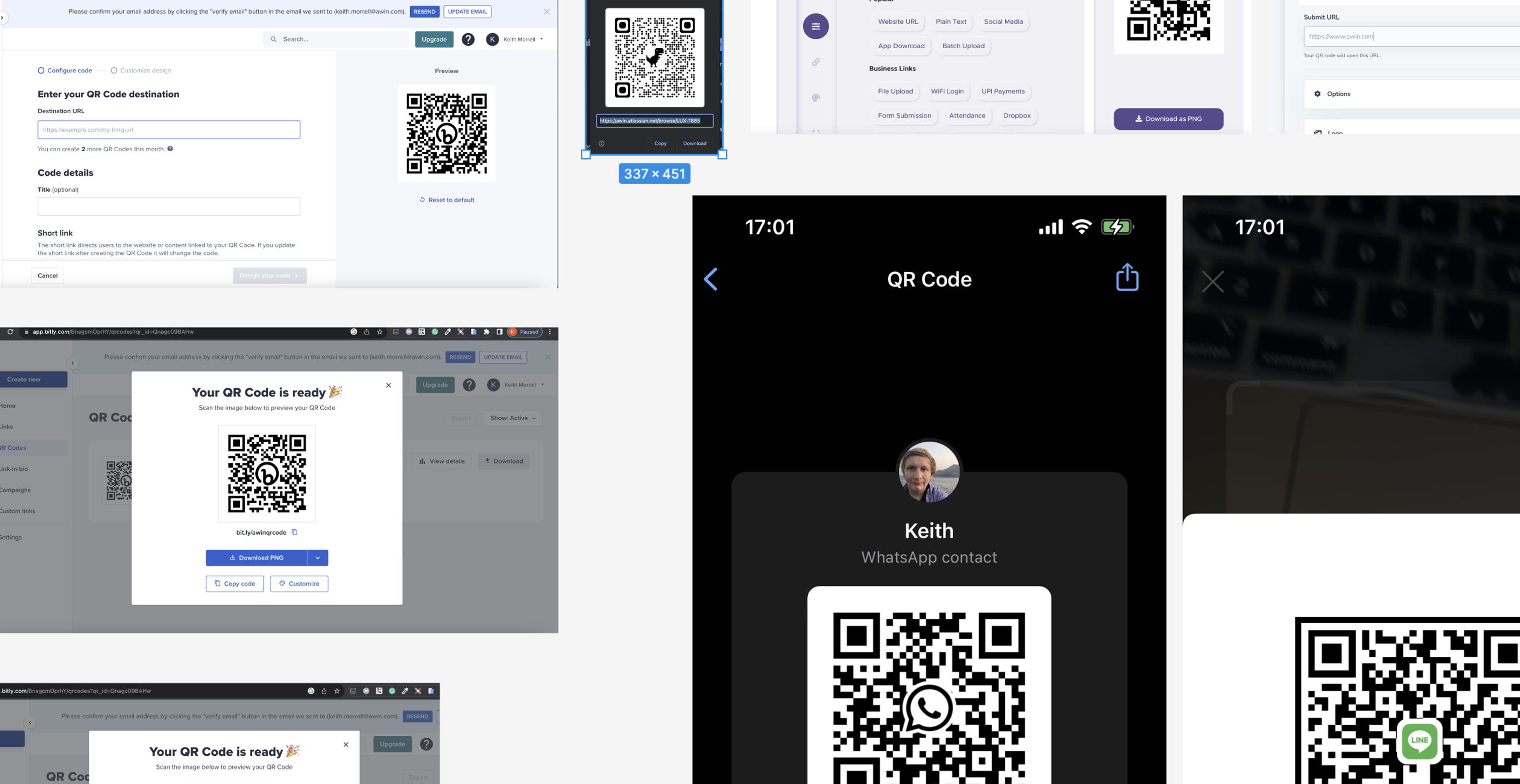
I researched other websites and apps to understand how QR codes are typically displayed and the common interactions involved in sharing them. These often included options for downloading QR codes in various formats and copying them.
Ideation
I created concepts to decide the correct placement of the QR code generation feature on the page, considering whether it should be under its own tab or integrated within existing tabs.
Additionally, I devised concepts to incorporate the QR code into our advertiser layout for consistency and future use with advertiser customers.
Solution
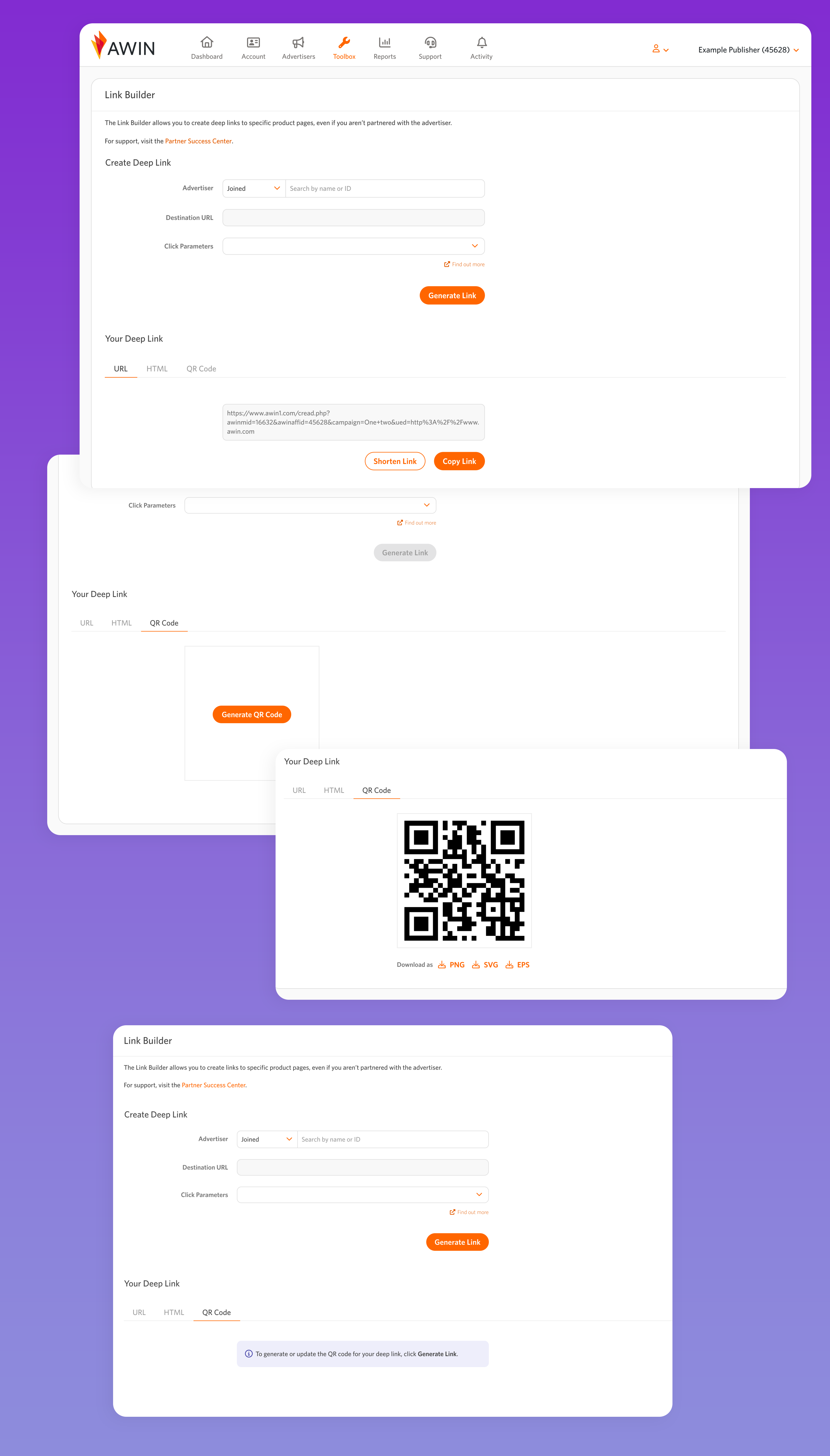
Publishers click “Generate Link” to create the link, which populates the URL and HTML fields and activates the shortened link button. QR codes already use a shortened link, so we thought it was best to place it under its own tab.
As we believed many customers would use URL and HTML links for sharing and considering QR code generation costs, we require customers to click a tab, and then a button to generate a QR code.
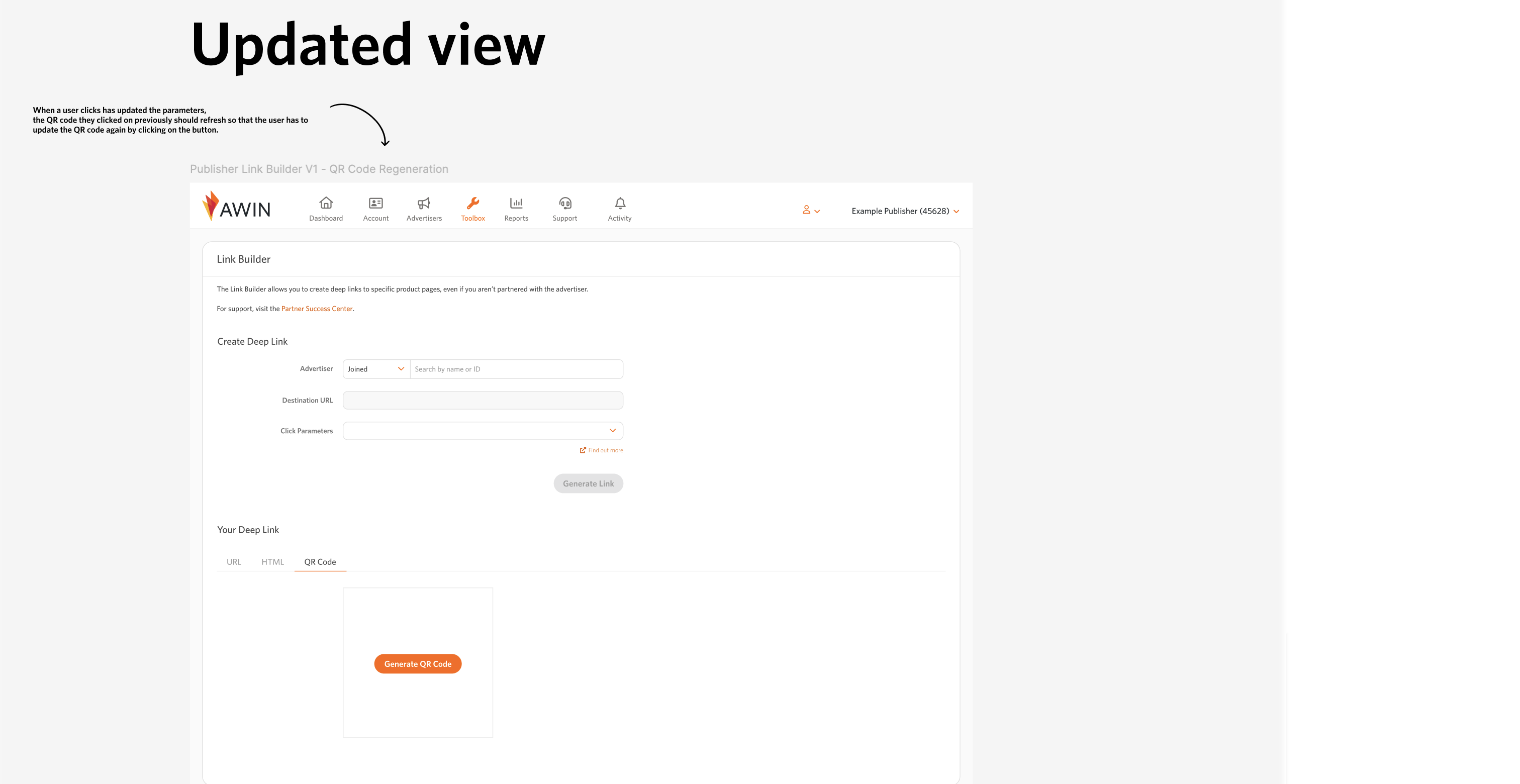
During development with engineers, we discovered an unforeseen edge case. Currently, once a link is generated, the Generate Link button becomes inactive.
However, customers might need to modify their deep link parameters. Generating a new link updates the URL and HTML fields, but keeps the customer on the QR code tab, potentially causing them to save the old QR code by mistake. To prevent this, we refresh the tab upon clicking “Generate Link” to mitigate any risks.
Future Vision

During the ideation phase, I discovered that we had no scope to match the advertiser page. However, it’s something we could consider in the future. Instead of relying on tabs and implementing fixes to prevent customers from saving incorrect QR codes, a proposal was to allow customers to select their preferred link type to improve their user experience.
Key Takeaways
In collaboration with the development team, we successfully launched the QR code feature for offline advertising. Customers can now create these offline links, creating additional revenue streams for both customers and the business.
Despite our resource constraints, I introduced ideas that aim to improve user experiences in the future.