The objective was to build a chatbot that uses the power of an LLM based on our Wiki to get support from our live chat feature.
- Scope: Visual Design & Concepts
- Role: Concept, Research & Visual Identity
- Tools: Figma & Figjam
- Collaborators: UX Writer & Engineers
[videojs_video url=”https://www.gd86.co.uk/wp-content/uploads/2024/04/hackathon-1.mov” autoplay=”true” controls=”true” loop=”true”]
Concept designs for the AI chatbot
Brief
The hackathon aimed to leverage generative AI models to innovate solutions for customer support automation on our platform. Over two days, I collaborated closely with engineers and the UX writer to explore possibilities with chatbots and AI.
Process
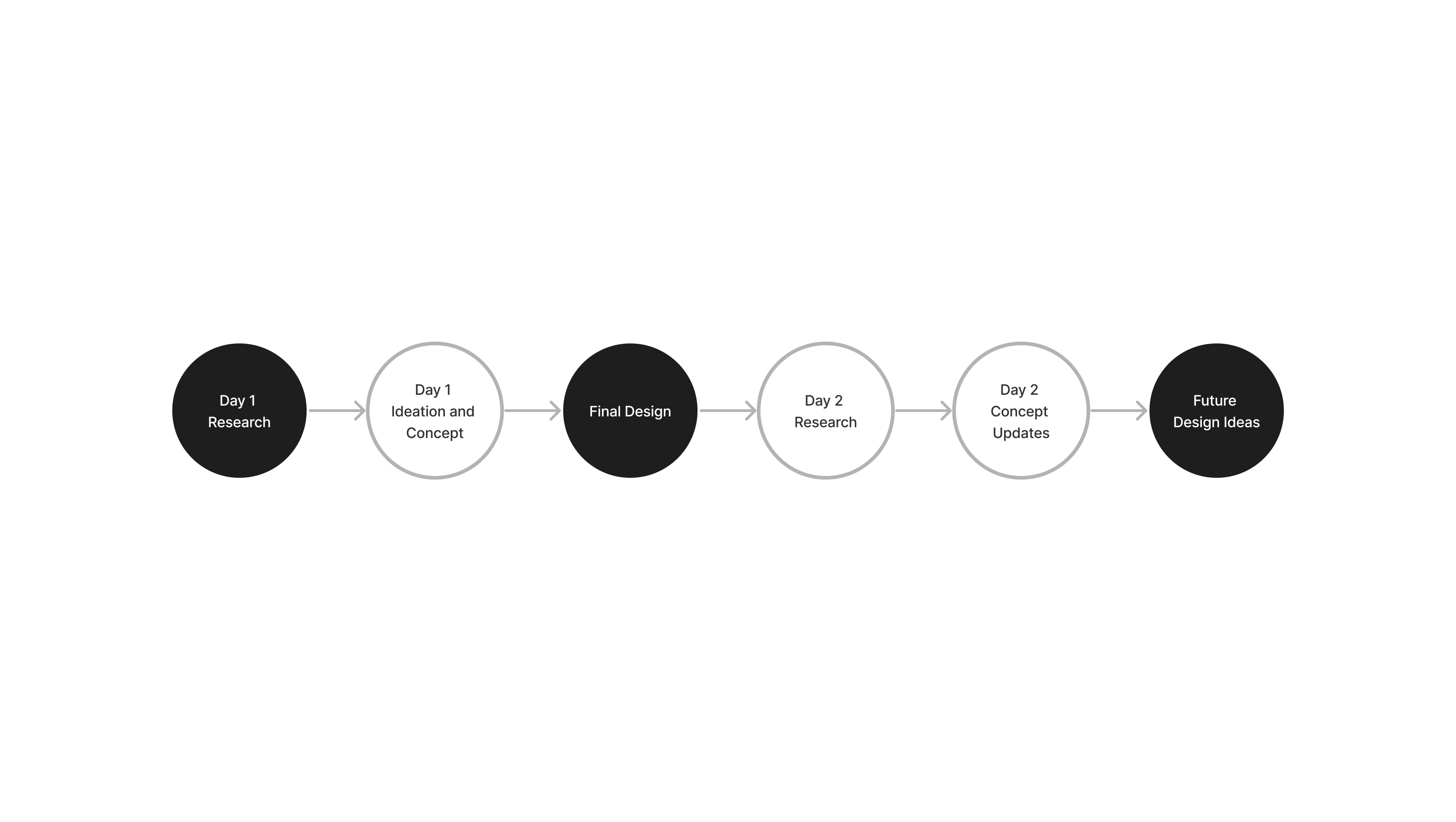
Research
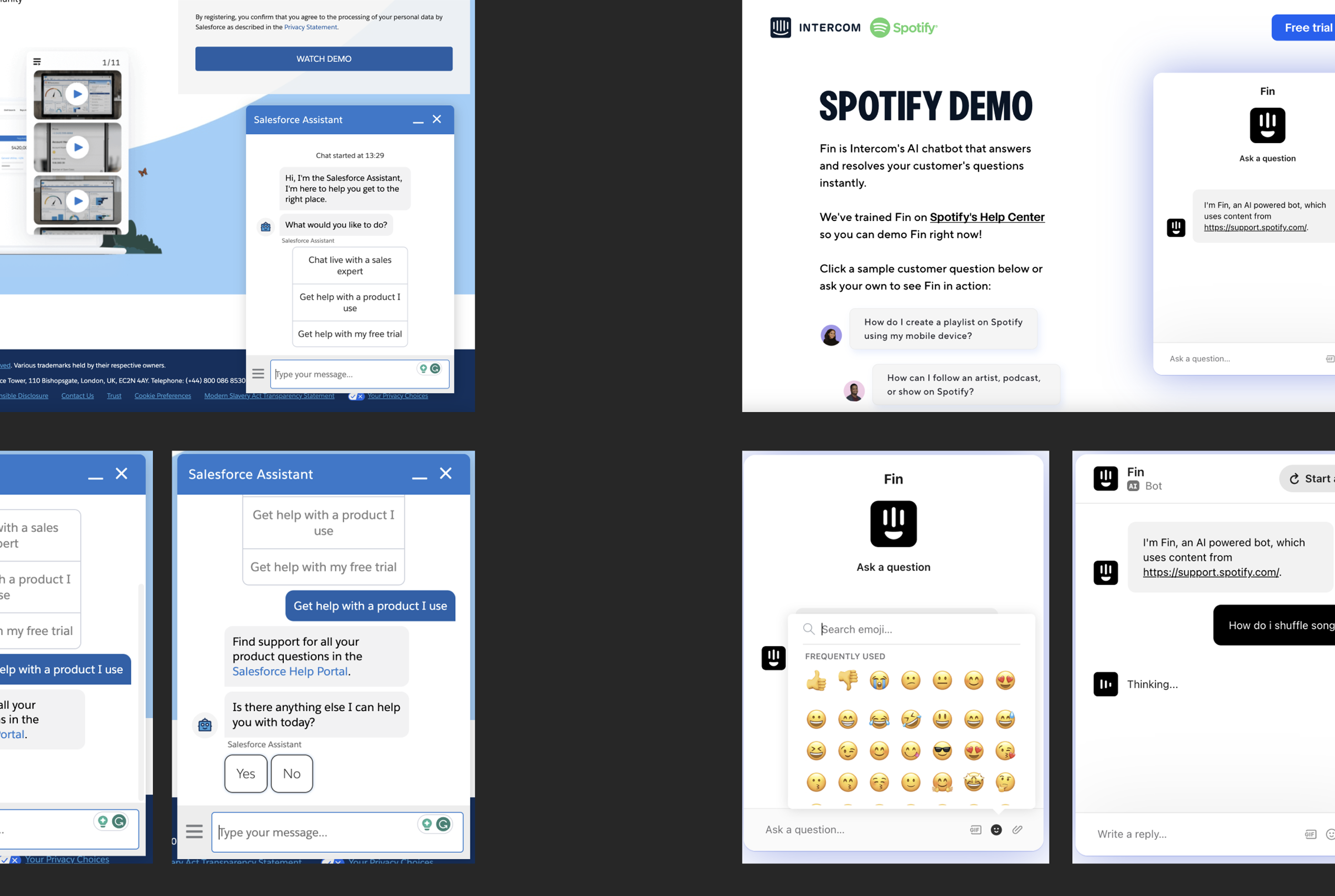
In the hackathon, I leveraged insights from my AI descriptions project and existing UI familiarity. Researching AI chatbots and live chat interfaces, I identified key UX patterns and features. Drawing inspiration from tools like Chatbot and Bard, I incorporated these findings into my development strategy.
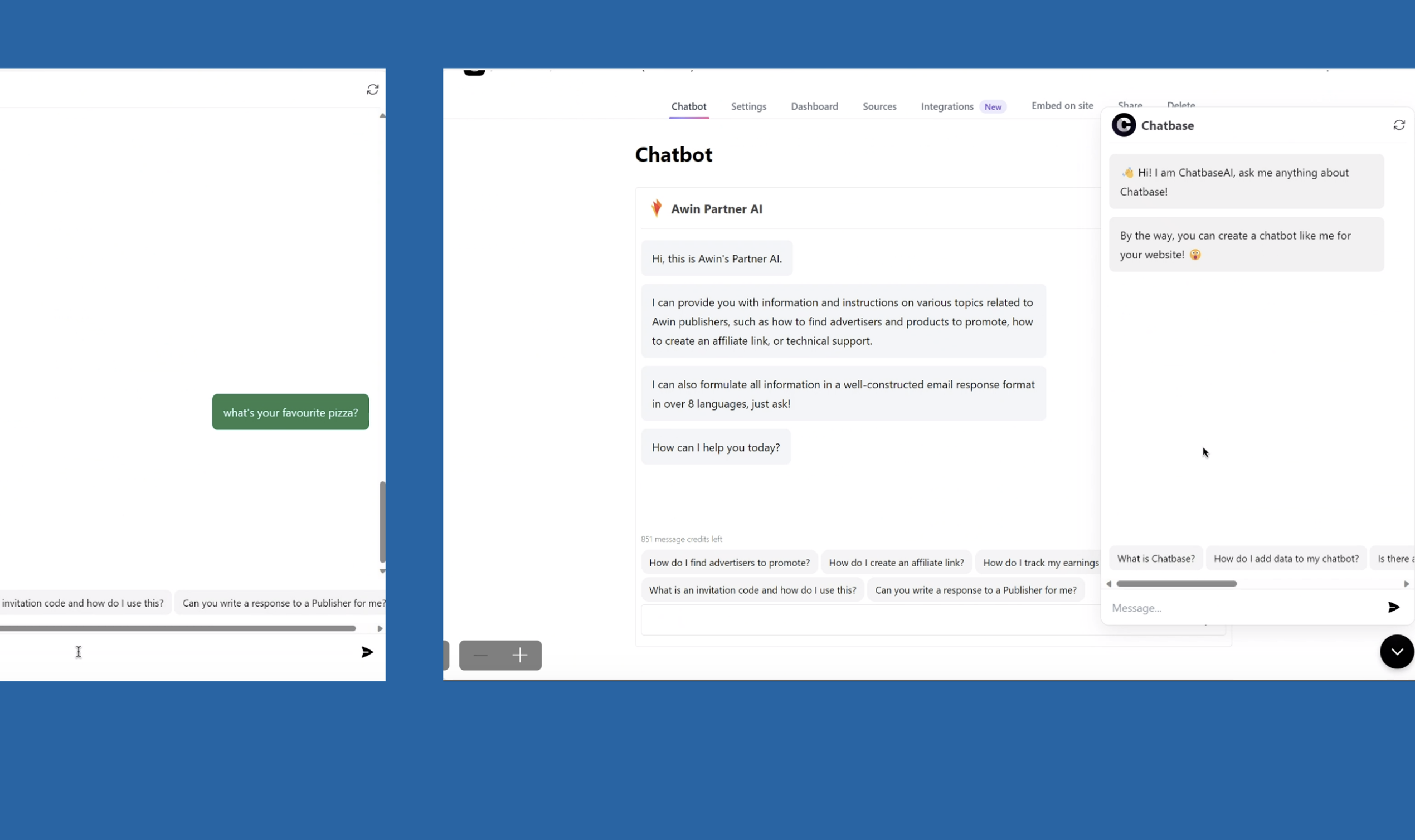
During our hackathon briefing, a stakeholder highlighted Chatbase, an AI tool supporting quick information retrieval for support cases from our support centre. I asked the stakeholder about their favourite features of Chatbase and observed its use.
We discussed challenges like the AI’s susceptibility to errors and drifting off-topic. These insights guided me and the engineers on which Chatbase features and other chatbot functionalities to integrate into our AI chatbot.
Day 1: Concept
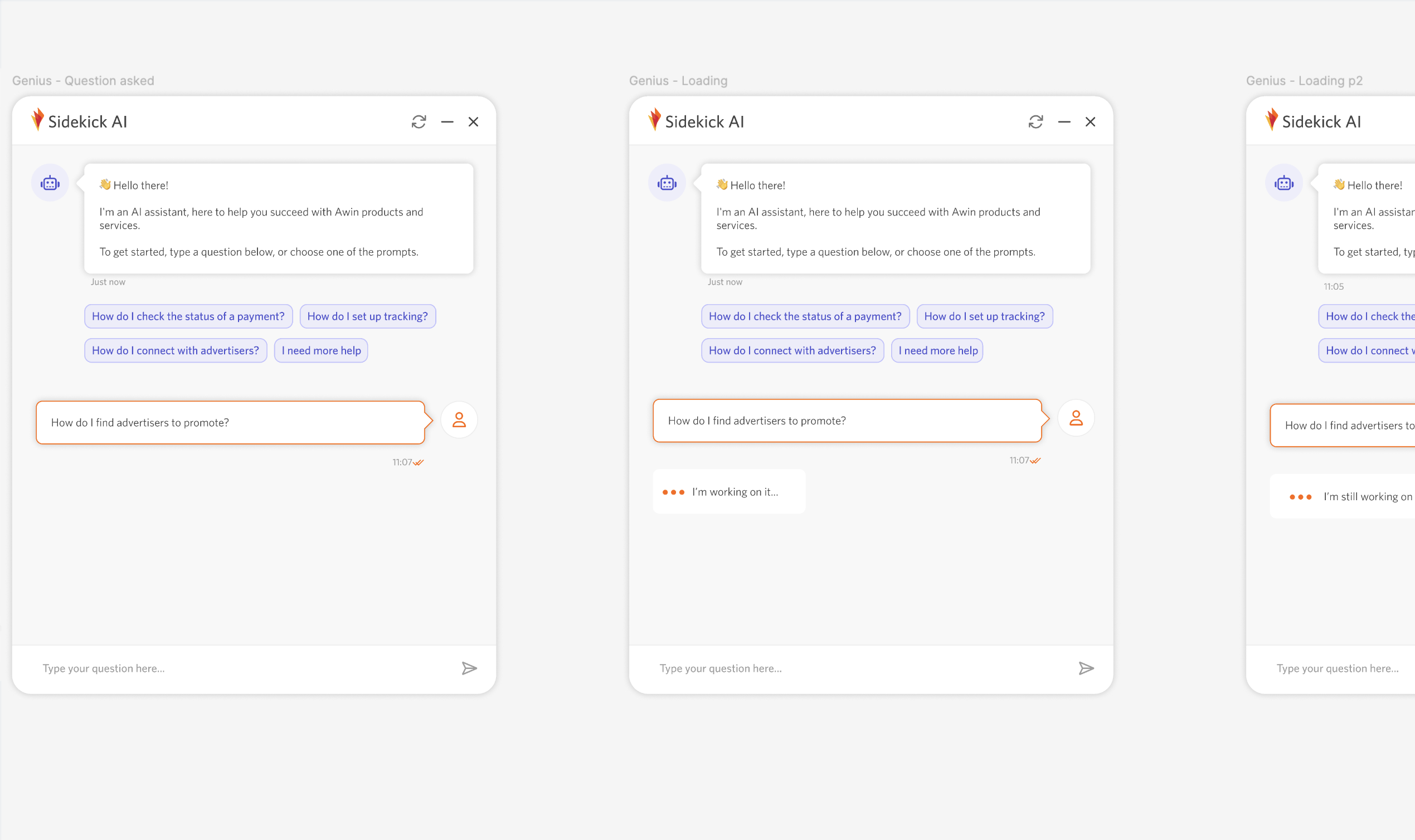
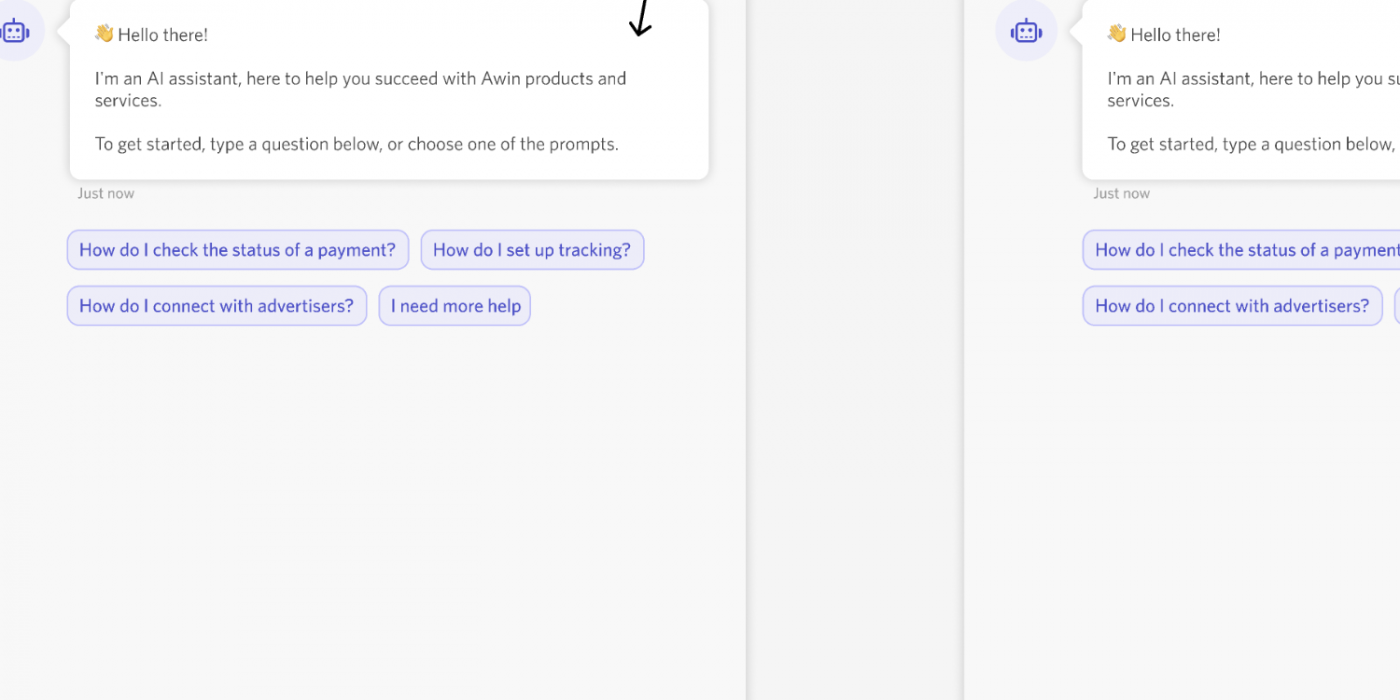
The brief research guided our choice of chatbot components, and I reviewed our design system for reusable items to simplify prototyping. With only a few hours to design the initial screens, I focused on key elements like speech bubbles, prompt questions, avatars, and user interactions.
By the end of the first day, the engineers had developed a draft chatbot capable of answering questions and displaying relevant information from our trained AI resources.
Day 2: Iterations & Concepts
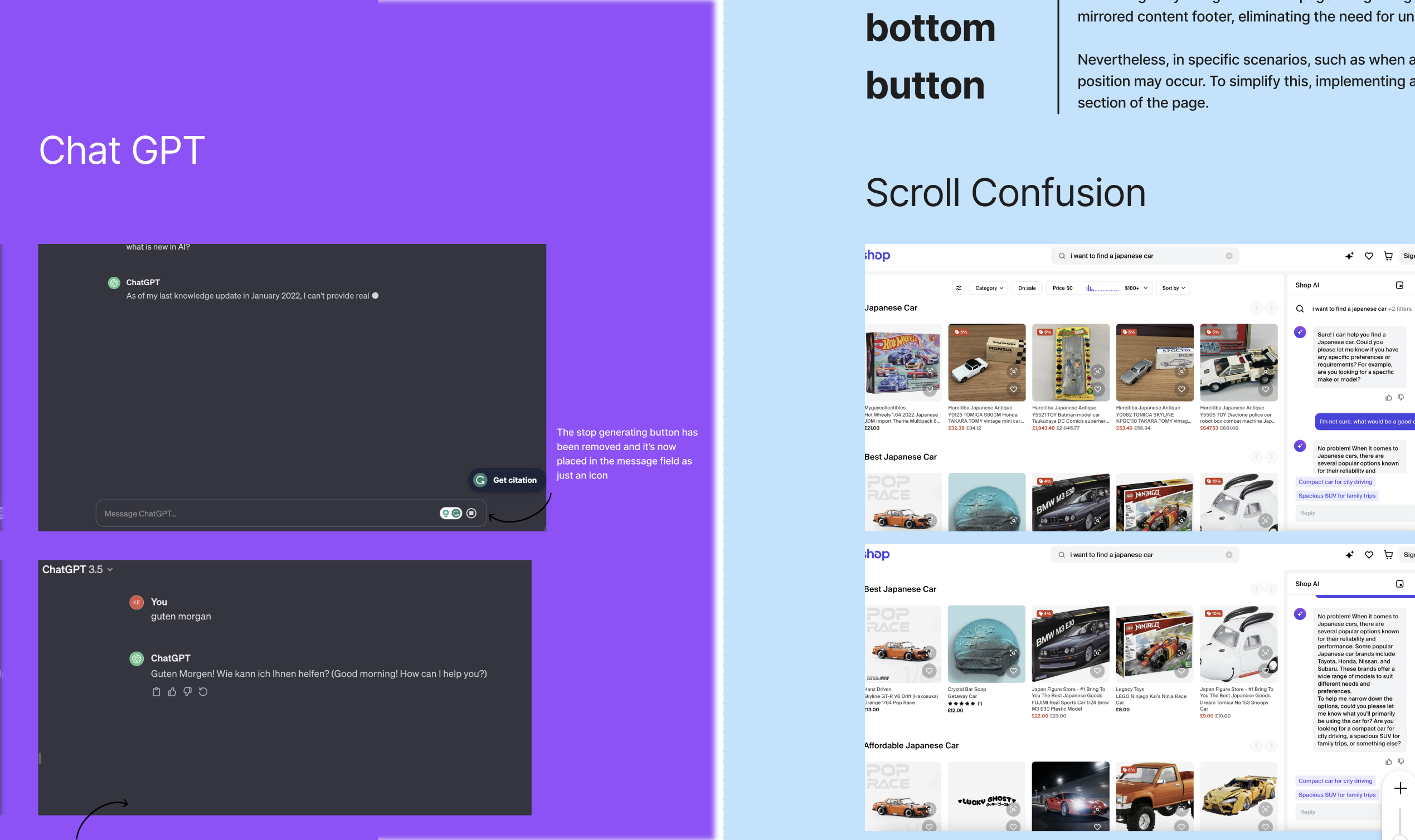
On the final day of the hackathon, I worked with the UX writer to identify additional components for the engineers to develop. From the first day’s draft prototype, I noticed potential scroll confusion. To address this, we proposed adding scroll-to-bottom/last message and scroll-to-top buttons for easier navigation.
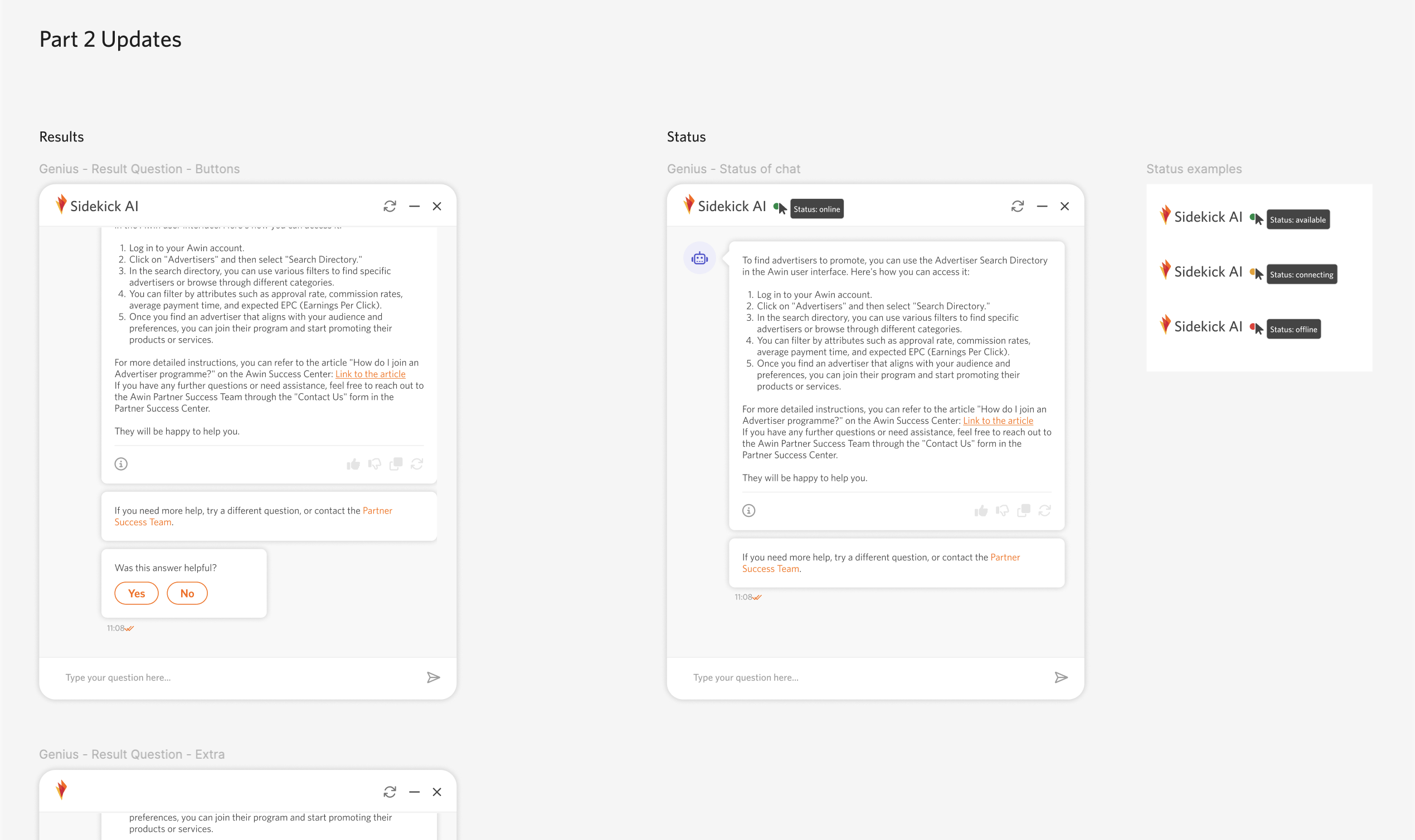
Another crucial aspect of chatbot functionality is providing live feedback to enhance user experience. We also aimed to streamline access to human assistance while initially guiding users to our existing resources.
To address connection issues, we considered adding a traffic light status indicator to inform users about the chatbot’s availability and any API problems.
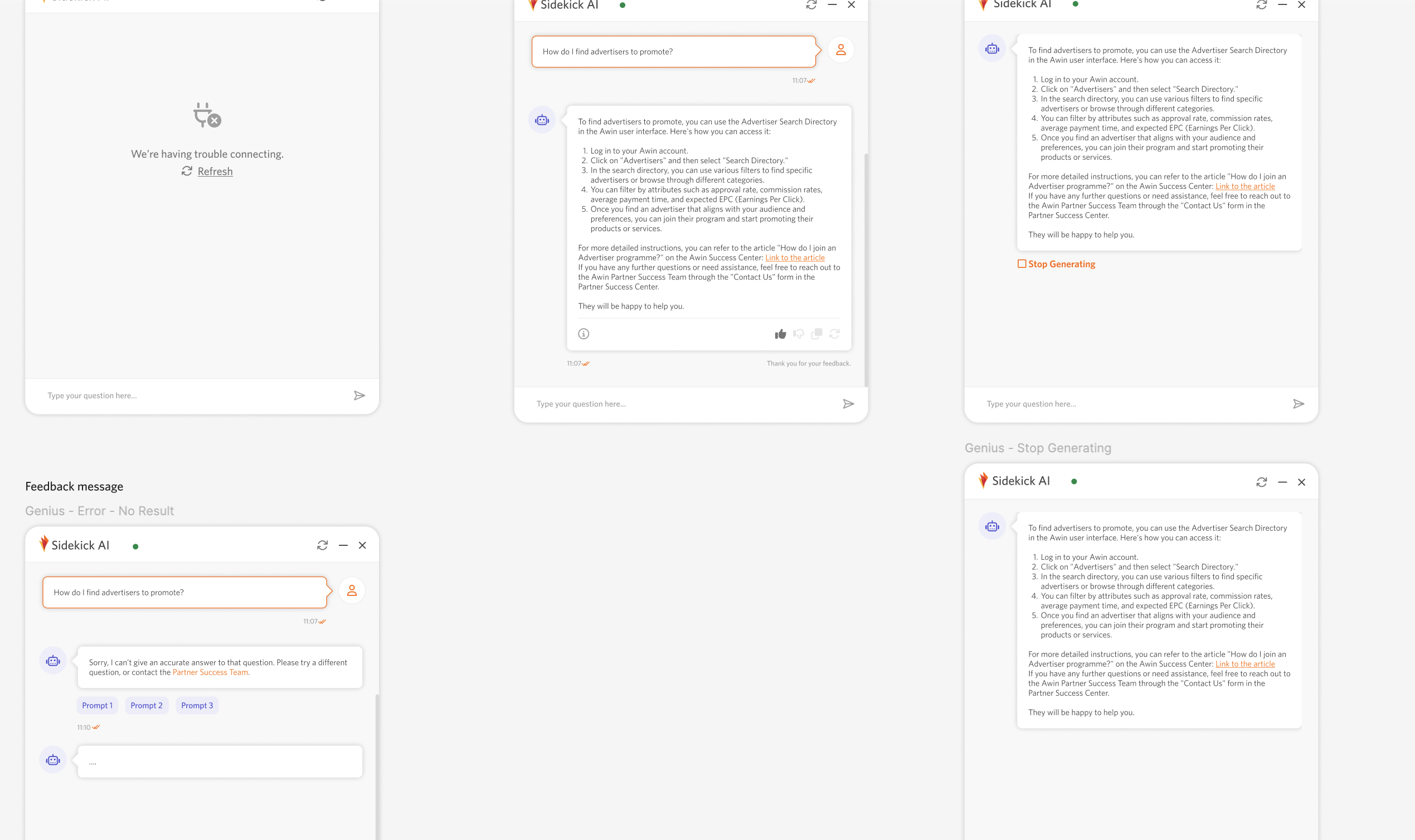
We explored displaying connection issues when users open the chatbot in their browser.
During AI chatbot prototype testing, we found users couldn’t stop result generation once started, even if they made a mistake. Unlike ChatGPT, which uses a square icon for this purpose, we emphasised the need for a clearly labelled button to improve accessibility.
Additionally, we proposed adding user ratings for AI responses. This feedback could shape future interactions and would be stored for human review to ensure accuracy and address any issues.
Although we discussed these features with engineers, time constraints limited their implementation.
Outcome

After two days, we launched an AI-powered chatbot that efficiently provided users with valuable results, question prompts, and relevant resources, fulfilling our primary goal for the hackathon.
We documented additional feature suggestions for future enhancements. Stakeholders and board members were pleased with what we had created, recognising the chatbot’s potential business benefits and user advantages.
The Future
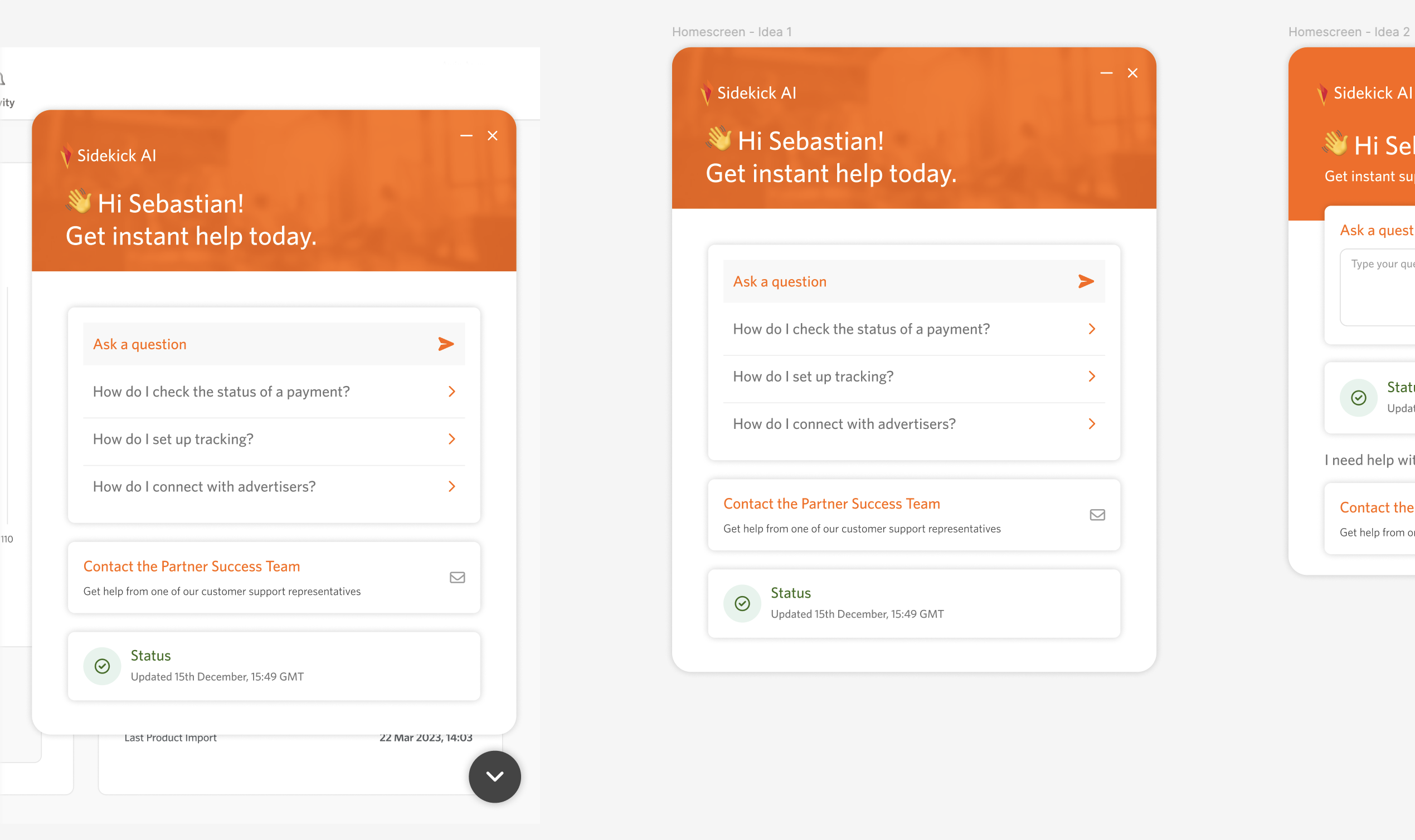
During my research, I found our main website already had a chatbot with a welcome screen. Working with the UX Writer, we designed new screens, focusing on UI placement and interactive buttons for the chat bubble on both desktop and mobile.
I chose subtle colours from our style guide for the AI chatbot bubble to avoid distracting users from the main areas of the UI. The dark grey activation icon was chosen to differentiate it from our primary CTA button.
To personalise the experience, we included a welcome message. Initially, the chatbot displays common questions upon opening, updating them based on the page navigated to provide relevant queries.
Recognising the importance of human interaction for support, I proposed integrating a contact button within the chat bubble. This allows users to easily reach support without navigating away or closing the chat, minimising frustration.
Key Takeaways
I enjoyed collaborating with team members on this project and was surprised by what we achieved in a short time.
The hackathon showed the UX value we can bring, demonstrating to stakeholders and board members the advantages of integrating AI technology and how an internal AI chatbot could support an enhanced user experience.